Brand voice & business profile
AI that sounds like you because it knows you
Generic AI writes generic posts. In Fluxi every social portfolio has a brand voice — how it should sound — and a business profile — what it may say. AI Assist and AI Images use both on every request, so the café sounds like the café, and the post about the new pastry knows what it costs.
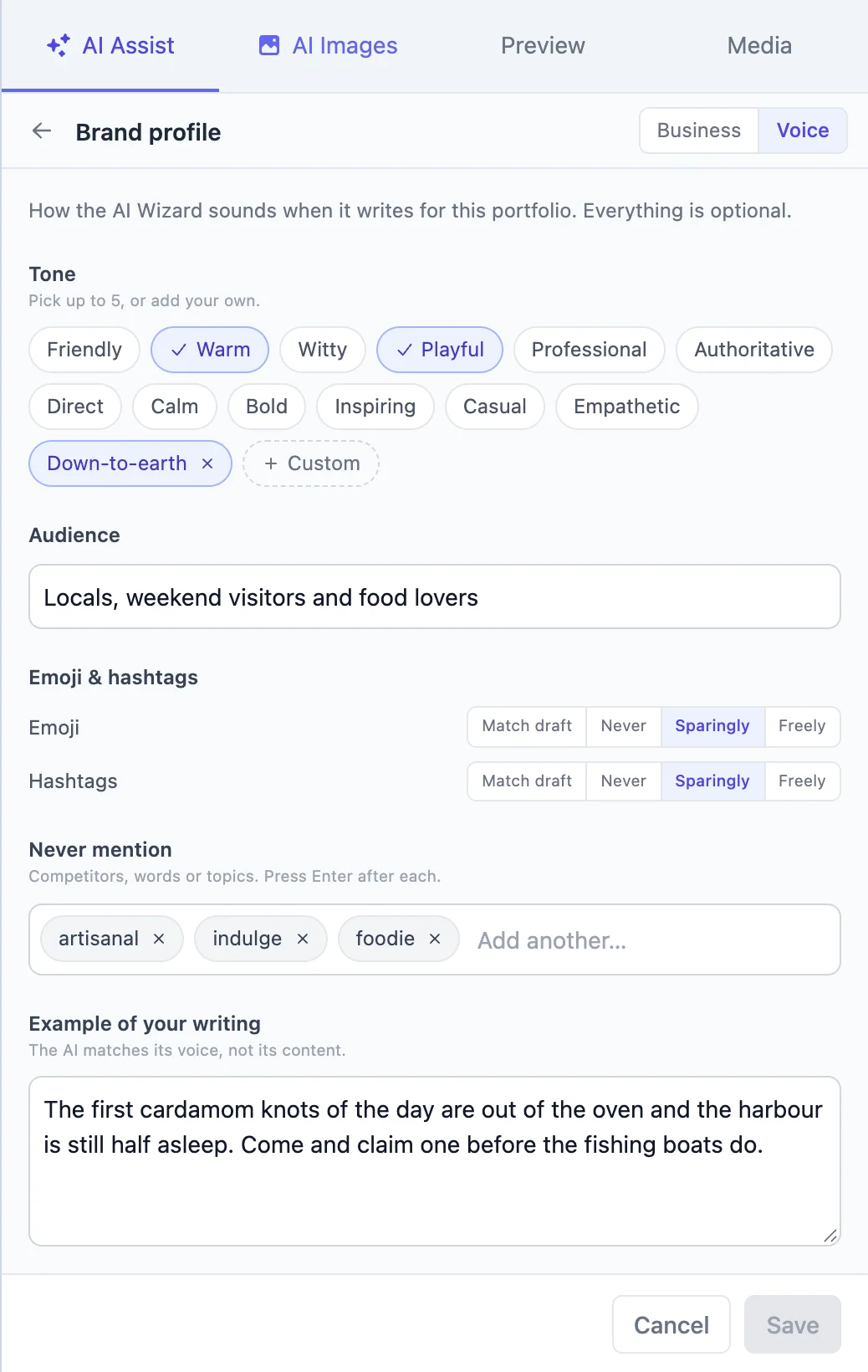
Tone, picked in seconds
Choose up to five tones from chips like Warm, Witty or Professional, or add your own.
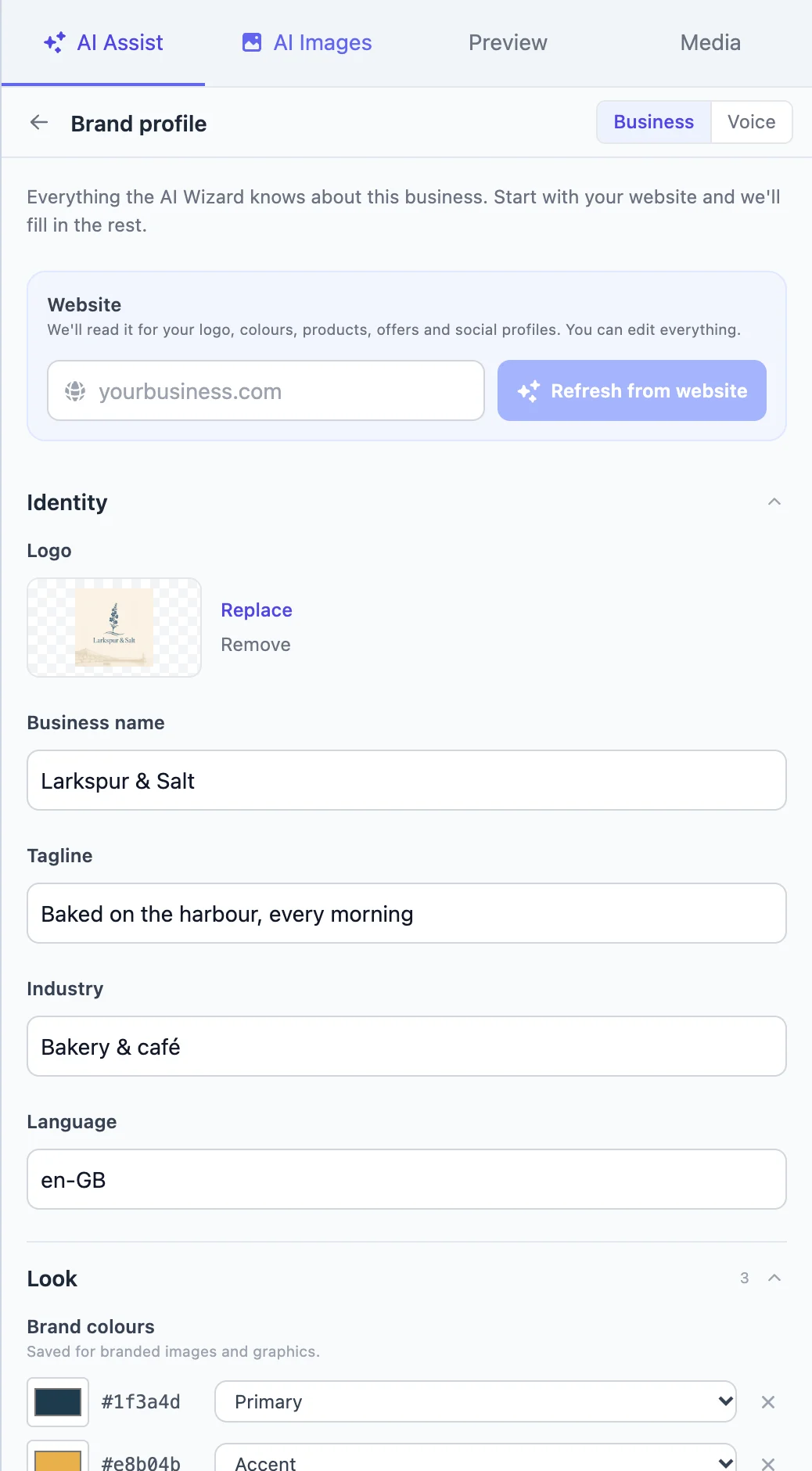
The facts, to hand
Products, prices, offers, opening hours, location and selling points the AI may use in posts.
Filled in from your website
Paste your address and Fluxi reads the site for your logo, colours, products, offers and social links.
One per client
Every portfolio has its own voice and profile, so clients never bleed into each other.
Brand voice: how it should sound
Open the brand profile from the bar at the top of AI Assist. Everything is optional, and every field changes what comes back.
- Tone — pick up to five, like Warm, Playful, Professional or Calm, or add your own
- Audience — who the posts are for, in your words
- Emoji and hashtags — match the draft, never, sparingly or freely
- Never mention — competitors, words or topics the AI must avoid
- Example of your writing — paste a post or two; the AI matches the voice, not the content
Business profile: what it can say
The business profile holds the facts. Name, tagline, industry and language (so it writes “colour” or “color” correctly); your logo and brand colours; products and services with prices; current offers; selling points and values; topics you post about; contact details and opening hours; and your social profiles. AI Assist may use any of it, and link to it, in what it writes. AI Images uses the logo and colours for branded graphics.
Read from your website in a minute
Nobody wants to type out a product list. Paste your website address and Fluxi reads the site to fill in the profile — logo, colours, products, offers, contact details and social links — then shows you what it found to check and edit. New accounts are offered this during setup, so the very first post the AI writes already knows the business.
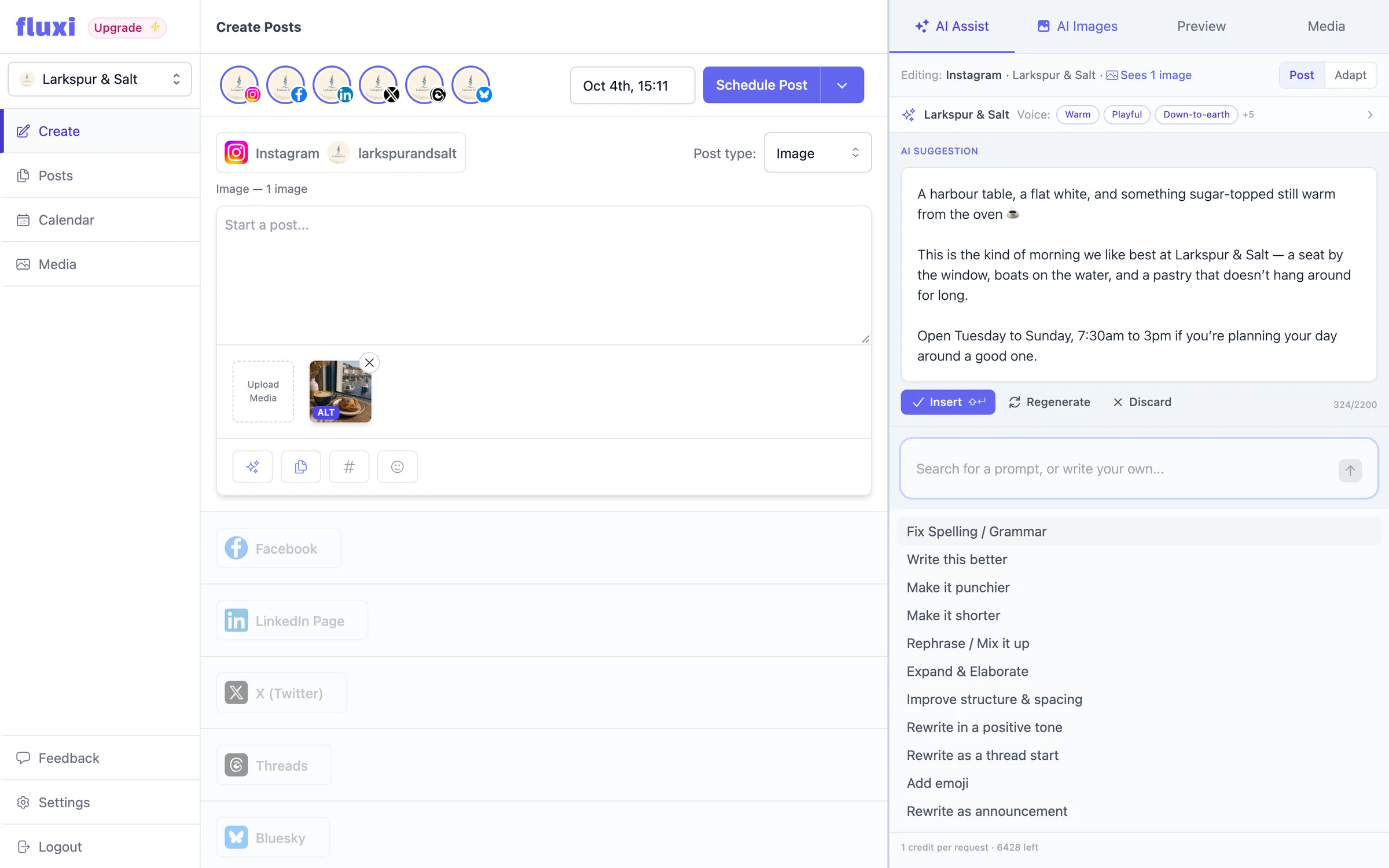
Change it from where you write
The current portfolio’s tone shows as chips at the top of AI Assist, one click from the editor. Tweak the voice, save, and the next suggestion reflects it — no settings page, no lost draft.
Built for more than one brand
If you manage several clients, this is where Fluxi’s portfolio model pays off. Each social portfolio has its own voice and profile, so switching client switches what the AI knows. There is no global prompt to remember to change, and nothing about one client can leak into another’s posts.
Questions people ask
No. Every field is optional and AI Assist works without any of them. Each one you add makes the results more like your own writing.
Yes. Paste your website address in the business profile and Fluxi reads the site for your logo, colours, products, offers, contact details and social links. You review and edit everything before it is saved.
Yes. Add competitors, words or topics to Never mention and the AI treats them as a hard rule.
Yes. The brand voice and business profile belong to the social portfolio, so every client has their own.
Get your next week scheduled
Connect an account, write a post and put it in the calendar. You can do all of it on the free trial, today.
14 days free. No card required.